Group Policy Editor | Harden System Security
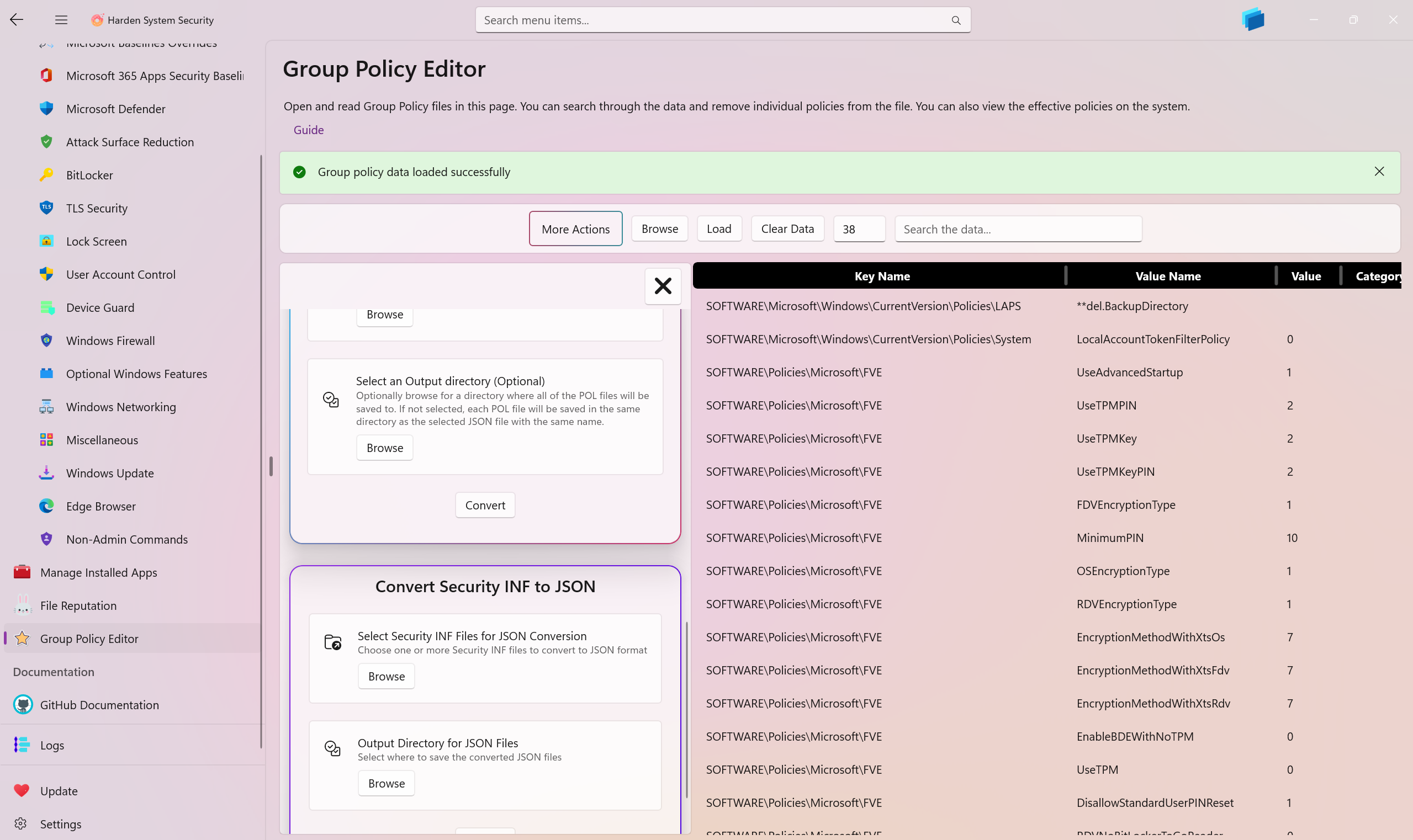
The Group Policy Editor page enables you to retrieve the effective policies on the system. You can sort and search through this data via the available UI controls. You can also browse for .POL group policy files on your system or a shared network location in order to inspect it. Additionally, you can natively browse, load, and inspect .JSON policy files previously exported by the app.
Since the Harden System Security app can be set as the default handler of the .POL files, this page is also displayed when you double-click or tap on any .POL file in the File Explorer.
You may remove any policy from a .JSON or .POL file, whether a system .POL or one you opened in the app. All edits are correctly persisted back to the selected .POL or .JSON file.
View Effective Machine and User Policies
In addition to retrieving the system's effective machine policies, you can also specifically retrieve and view the effective Group Policies applied to the User. Modifying these system-level policies through the editor will automatically update the system policies and register the necessary Client-Side Extensions (CSE).
Edit Group Policy Values
You can seamlessly edit the value of any loaded policy directly from the UI by right-clicking a policy and selecting Edit. The editor provides a rigorous, real-time input validation system tailored to the specific Registry Value Type of the policy:
- REG_DWORD & REG_QWORD: Ensures the input is a valid 32-bit or 64-bit integer.
- REG_BINARY & REG_NONE: Validates hexadecimal strings, filters invalid characters, and ensures an even number of characters.
- REG_MULTI_SZ: Provides a multi-line text input that automatically handles null separators for easily editing string arrays.
- REG_SZ & REG_EXPAND_SZ: Provides standard string validation.
Changes are securely saved back to the origin .POL or .JSON file without losing any data integrity.
Copy Policy Data
Using the right-click context menu, you can copy an entire selected policy row to your clipboard as a labeled, formatted text snippet. You can also dive into the Copy Individual Items sub-menu to pinpoint and copy specific properties of a policy.
Merge Multiple Group Policy Files Into One
If you have multiple .POL Group Policy files, you can quickly and accurately merge them into a single .POL file. The result will not have any duplicate policies in it. Select one main .POL file and then select other .POL files you want to merge with the main one. If 2 or more items with the same KeyName and ValueName exist, the ones from the other files will take precedence and overwrite the ones in the main file. This way you can consolidate your group policies without losing any important settings. This logic closely follows other merging strategies used in tools such as LGPO.exe.
Convert Group Policy Files To JSON
You can convert your .POL files into JSON format. The Harden System Security app defines a JSON schema that preserves all of the policy details during conversion. You can reuse and import the same JSON files later in the app.
Convert JSON Files To Group Policy Files
You can convert the JSON files created by the Harden System Security app back to .POL files in a lossless manner.
Convert Security INF Files To JSON
Security INF files generated by the Secedit tool can be converted to JSON file format defined by the Harden System Security app. Please keep in mind that only the [Registry Values] section of the INF files are converted to JSON at the moment.
Retrieve System Security Policy
Use this feature to create a very comprehensive security and policy report of the system and export them to a file. The report contains all of the security policies normally generated by Secedit, plus additional information about the current system.